
FEATURES
Everything in it.
No fine print.
Recording and reviewing run locally on your machine and cost nothing — you do not even need an account. The cloud features come on top once you sign in.
Recording 10
You raid. It records.
Read the combat log, spot the pull, start the recording — without you thinking about it.
- Automatic start You press nothing. The boss gets pulled, the recording runs, and it stops when the fight is over.
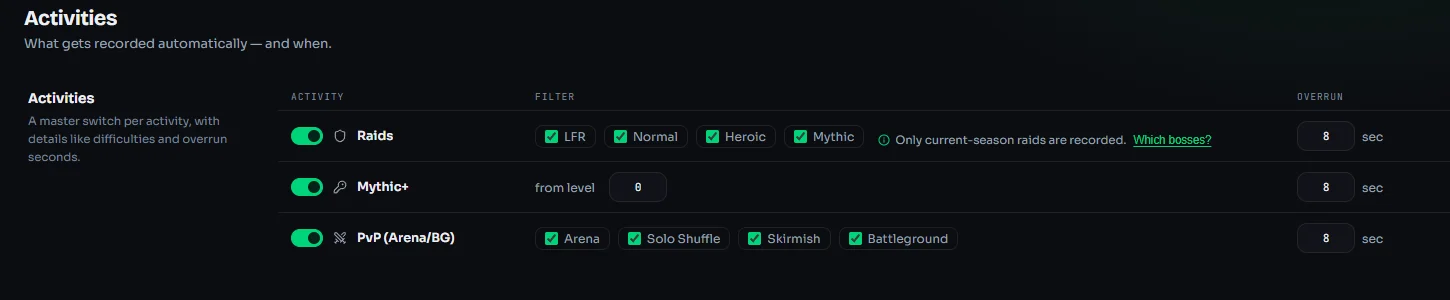
- Activity picker Raid difficulties, a minimum key level and PvP types tick by tick. What you leave unticked stays off.
- Overrun Set per activity, so the kill at the end never gets cut off.
- GPU encoding The graphics card encodes, your CPU stays with the game. If that will not run on your hardware, the maximum-compatibility fallback takes over, but it runs on the CPU and costs you frames.
- Resolution and quality Resolution as a ceiling, frame rate free to pick. Every quality level shows up front what one recording costs in disk space.
- Separate audio tracks Game, mic and individual apps like Discord land on their own tracks. When you cut a clip, you mute them one by one.
- Noise gate With a live meter and auto-detection: speak once and the threshold is set.
- Chat cover Cover up to five regions with a colour, your own image or a blur, with a live preview while you position them.
- Storage management You set how many GB the app may use. Once it hits the limit, the oldest recording makes room. Anything you mark as permanent stays.
- Space reserve You set how much room has to stay free on the drive. When it gets tight, the app stops recording instead of leaving you half a pull.
Analysis 10
Every death, explained.
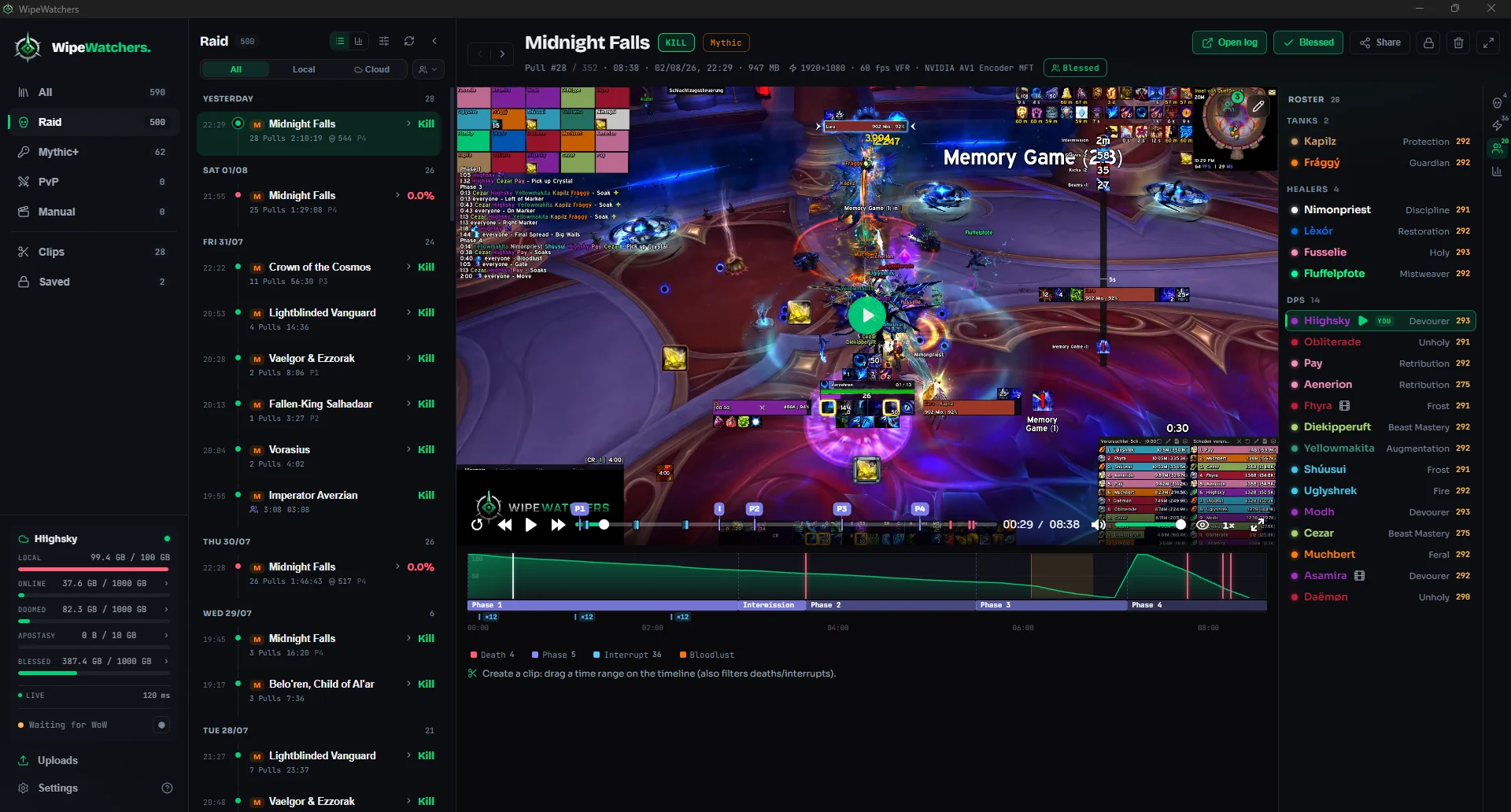
The app pulls the moments that matter out of the combat log and drops them onto the timeline as markers, from deaths to interrupts.
- Encounter timeline Pull, deaths, interrupts, bloodlust, boss phases and kills sit under the video. Click to jump, drag to select a range.
- Death recap The last seconds of damage, the killing blow, and the defensive you never pressed.
- Damage and healing Damage, healing, absorbs, overheal and item level, over pure combat time or including downtime.
- Interrupts Who kicked, and who slept on it.
- Boss HP curve Across the whole pull, second health bars included.
- M+ result Runs are filed by the actual dungeon timer: in time or depleted. That is exactly what you filter by later.
- Roster and talents The group in class colours, sorted by role. For every player you can copy the talent string from that fight and import it in game.
- Direct links From any player straight to Raider.io, Armory or WarcraftLogs, and from the pull to the matching report.
- Raid night as a block Every pull on the same boss becomes one block, with pull history as bars and your best try on top.
- Filters and search By boss, dungeon, key level, difficulty, fastest time, best attempt or guild.
Cloud and guild 09
After the raid, the rest runs itself.
Set the rules once; the queue takes care of the night.
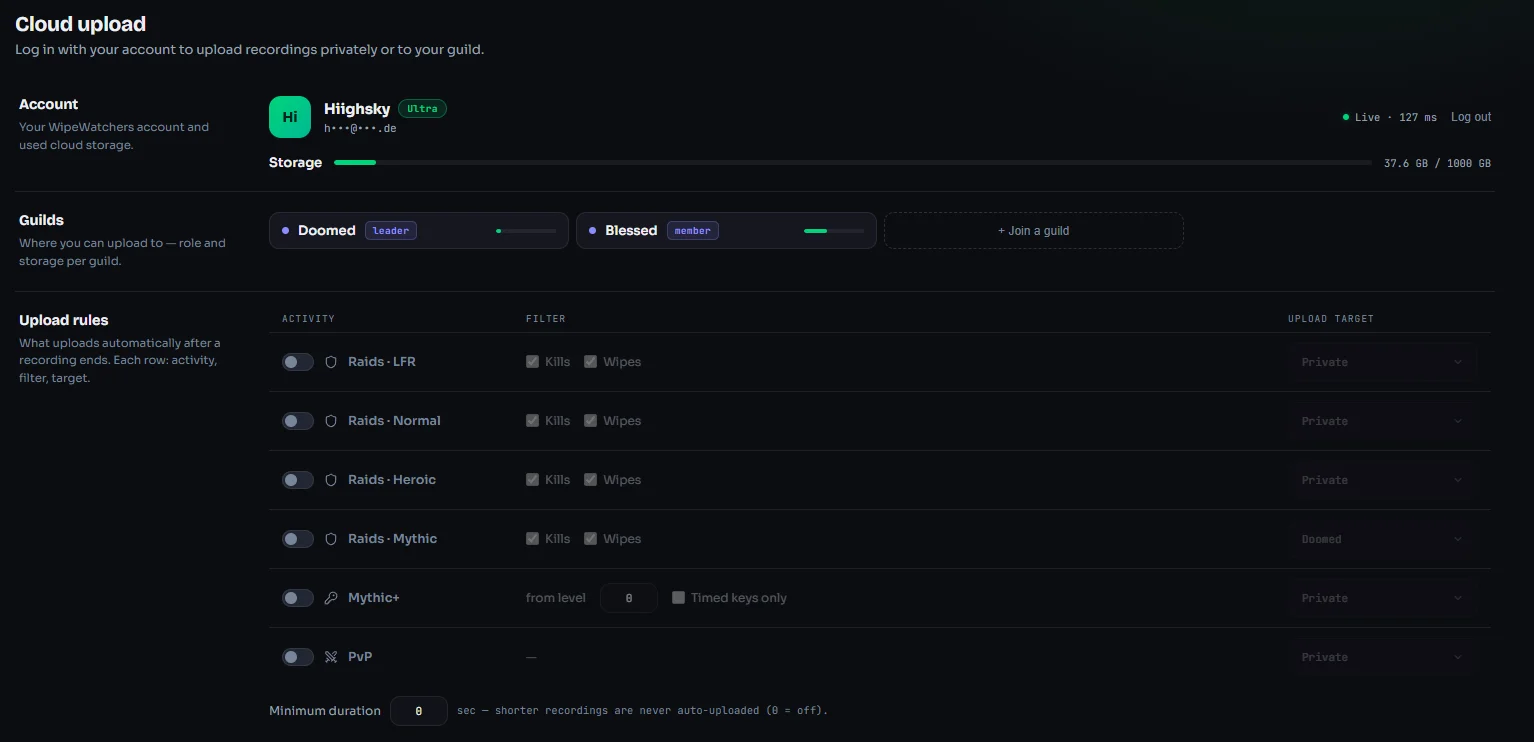
- Upload rules Per activity, decide what uploads and where: mythic kills to the guild, timed keys private, wipes not at all.
- Quiet hours While you are pulling, the line belongs to voice chat. Afterwards the queue starts on its own.
- Speed limit A bandwidth cap, so uploads run alongside instead of blocking everything.
- Upload queue You see speed and time left, can hold individual uploads and reorder the queue.
- Resume Crash, restart, router gone. The upload picks up exactly where it stopped.
- Joining a guild In with an invite code. Every guild has its own storage and its own roles.
- Guild library Your team's recordings right in the app, instead of hunting for video links in Discord.
- New pulls When someone uploads, their pull is in your library before the link hits Discord.
- Sign-in Via Battle.net, email or token. Without signing in, everything stays local on your machine.
Missing something?
Tell us what you are missing. During the beta, what you report on Discord decides what gets built.